Standard Deviation Calculator
This free standard deviation calculator helps you calculate sample standard deviation, population standard deviation, variance, mean, range, and step-by-step work from any data set. Enter test scores, business data, finance returns, research values, or any numeric list and calculate standard deviation online instantly.
Calculate Standard Deviation
What Is Standard Deviation?
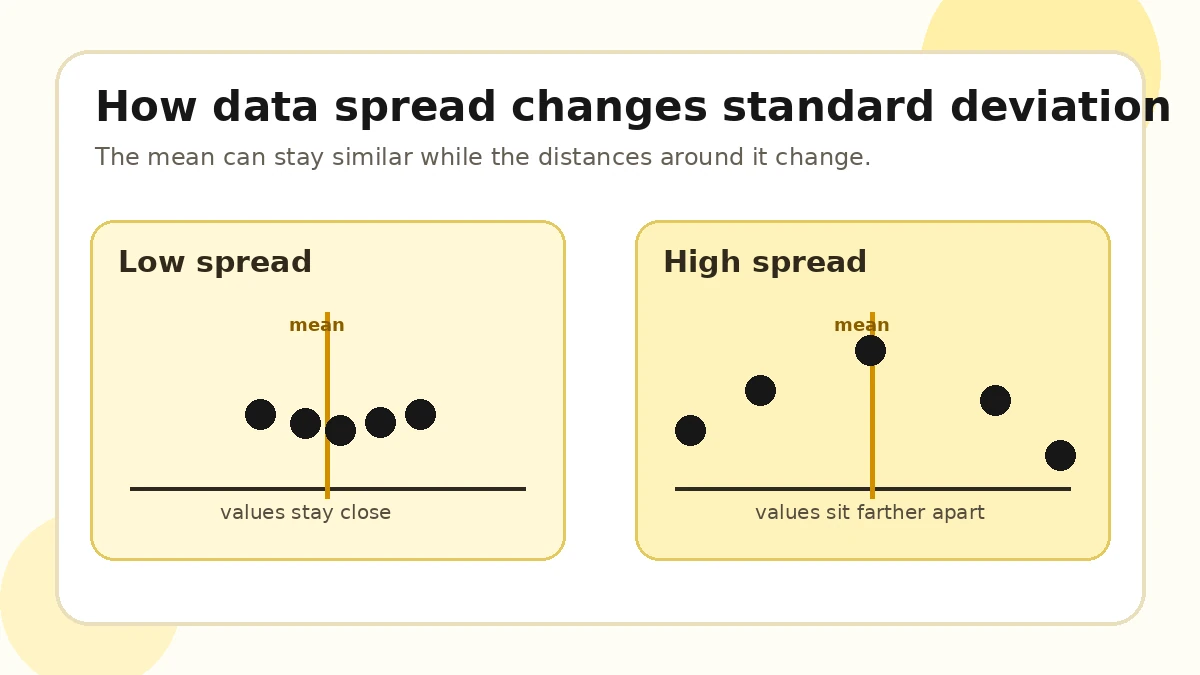
Standard deviation measures how spread out numbers are from the average, also called the mean. A low standard deviation means the values are close to the mean. A high standard deviation means the values are more spread out. This makes a standard deviation calculator useful for students, teachers, business users, researchers, finance users, and anyone working with data analysis.
For example, if several students receive similar test scores, the standard deviation of test scores will be low. If some students score very high and others score very low, the standard deviation will be higher. This tool works as a mean and standard deviation calculator, variance calculator, and standard deviation calculator with steps.
How to Use This Standard Deviation Calculator
- Enter numbers separated by commas, spaces, tabs, or new lines.
- Choose sample standard deviation or population standard deviation.
- Select how many decimal places you want in the answer.
- Click the calculate button.
- Review the result, variance, mean, range, and step-by-step solution.
You can use this statistics calculator for test scores, grades, monthly sales, finance returns, research data, survey results, quality control numbers, and any standard deviation from data set calculation.
Sample Standard Deviation vs Population Standard Deviation
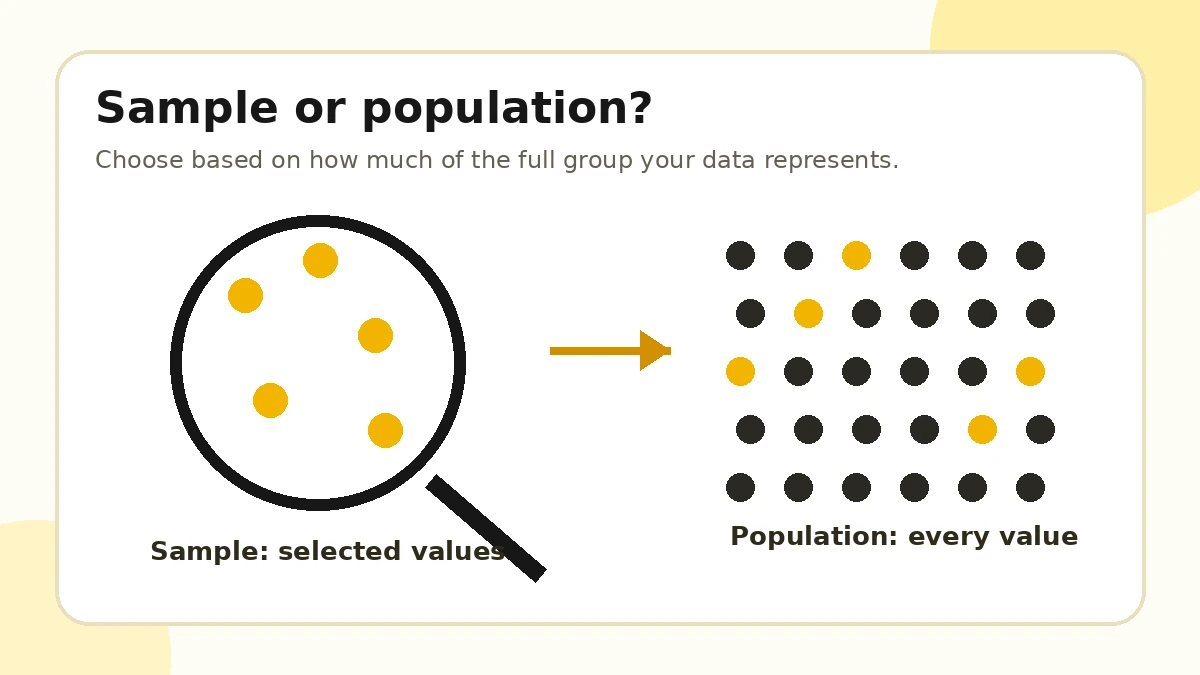
Use sample standard deviation when your data is only part of a larger group. For example, a teacher may calculate standard deviation for sample data from one class to understand grade variation, or a researcher may analyze survey responses from a smaller group of people.
Use population standard deviation when your data includes every value in the full group. For example, a business report may include all sales from every month in a year, or a school may analyze every student score from a completed test.
In finance, sample standard deviation is often used when analyzing a limited set of stock returns. In business, population standard deviation may be used when all values in a complete reporting period are available.
Standard Deviation Formula
Population standard deviation
σ = √(Σ(xᵢ - μ)² / n)Sample standard deviation
s = √(Σ(xᵢ - x̄)² / (n - 1))In the standard deviation formula:
- xᵢ means each data value.
- μ means population mean.
- x̄ means sample mean.
- n means number of values.
- Σ means sum of all values.
How to Calculate Standard Deviation Manually
To understand how to calculate standard deviation manually, follow these steps:
- Find the mean.
- Subtract the mean from every number.
- Square each difference.
- Add the squared differences.
- Divide by n for population standard deviation or n - 1 for sample standard deviation.
- Take the square root.
This calculator shows these steps automatically, so you can learn the work behind the answer and copy the full step-by-step solution.
Standard Deviation Example
Data set: 12, 15, 18, 21, 24
- Mean = 18
- Squared differences total = 90
- Population variance = 18
- Population standard deviation = 4.2426
- Sample variance = 22.5
- Sample standard deviation = 4.7434
This example shows why sample and population results are different. The sample formula divides by n - 1, while the population formula divides by n.
When Should You Use Standard Deviation?
A standard deviation calculator is helpful when you want to understand variation, consistency, or risk.
- Test scores
- College grades
- Business sales
- Stock market returns
- Weather data
- Research studies
- Manufacturing quality control
- Sports statistics
- Survey results
- Budget and expense tracking
Why Standard Deviation Matters
Standard deviation matters because it helps users understand consistency, risk, variation, and reliability in a data set. Averages alone can hide important differences. Two data sets may have the same mean but very different levels of spread. Standard deviation helps you see whether values are tightly grouped or widely scattered.
In finance, a higher standard deviation can suggest higher volatility. In education, it can show whether student scores are consistent. In business, it can reveal whether sales, expenses, or production numbers are stable or unpredictable.
Common Mistakes When Calculating Standard Deviation
- Confusing sample and population standard deviation.
- Forgetting to square differences from the mean.
- Dividing by n instead of n - 1 for sample data.
- Rounding too early during the calculation.
- Ignoring outliers that can affect the result.
- Trying to calculate sample standard deviation with only one data value.
Related Statistics Calculators
Frequently Asked Questions
What is a standard deviation calculator?
A standard deviation calculator is an online tool that measures how spread out numbers are from the mean of a data set.
Should I use sample or population standard deviation?
Use sample standard deviation when your data is only part of a larger group. Use population standard deviation when your data includes every value in the full group.
What does a high standard deviation mean?
A high standard deviation means the numbers are spread farther away from the mean.
What does a low standard deviation mean?
A low standard deviation means the numbers are close to the mean.
Is variance the same as standard deviation?
No. Variance is the average squared difference from the mean. Standard deviation is the square root of variance.
Can I calculate standard deviation for test scores?
Yes. You can enter test scores, grades, business numbers, finance data, research data, or any numeric data set.
How many numbers do I need to calculate standard deviation?
You need at least two numbers for sample standard deviation. Population standard deviation can technically be calculated with one value, but two or more values are more useful.
Does this calculator show steps?
Yes. The calculator shows the mean, differences from the mean, squared differences, variance, and final standard deviation.