1. Check statements
Look through one bank statement and every credit card used for app purchases. Search for repeating merchant names and small digital charges.
List your recurring payments and see the real monthly total, yearly cost, shared-plan amount, and possible savings in one place. No sign-up is required.

Start with the price shown on your bank statement or app account. Use the billing cycle exactly as charged, and add the number of people only when the plan cost is shared.
Add these numbers only when you want to compare subscription spending with take-home income, a personal limit, or a monthly savings target.
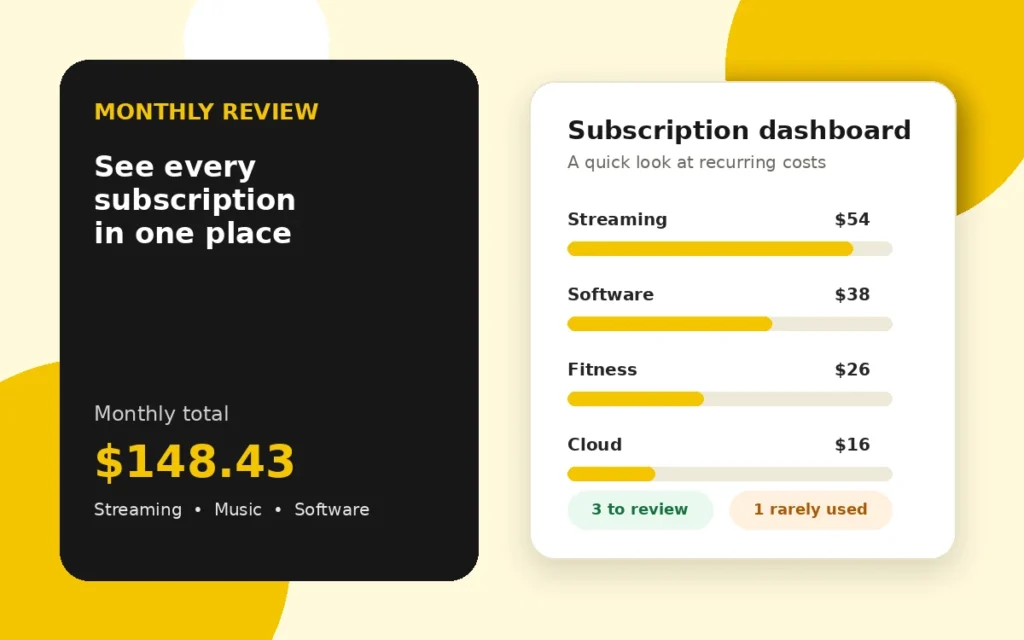
This view makes it easier to spot when several small services in the same category are quietly becoming one large expense.
| Category | Monthly Cost | Yearly Cost | Percentage of Total |
|---|---|---|---|
| No subscription categories added yet. | |||
Start your review with the five largest charges. One downgrade here can save more than cancelling several tiny plans.
Subscription spending rarely feels expensive one payment at a time. The surprise usually appears when a streaming plan, cloud storage, a gym membership, software, and delivery memberships are viewed together.
A useful routine is to check the total against last month’s bank statement. Keep the services you genuinely use, question anything marked Rarely, and verify the renewal date before cancelling an annual plan.
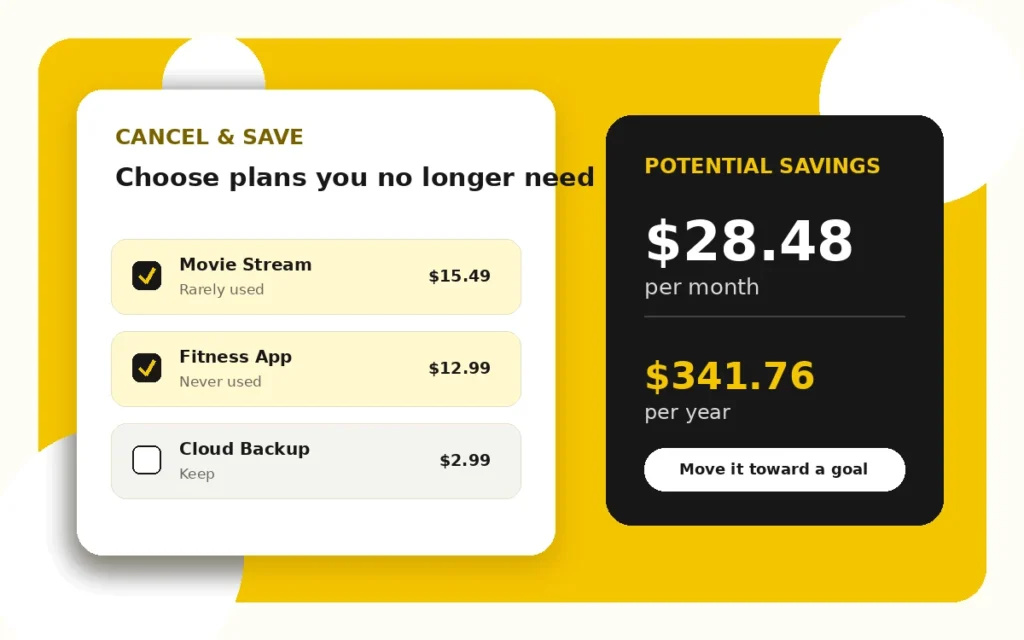
Marking a plan for cancellation does not remove it from the current total. Instead, the results show both today’s cost and the lower amount you could reach. That side-by-side view helps you make a deliberate choice rather than cutting a service impulsively.
Before ending a plan, check for prepaid time, stored files, family members using the account, and any data you may need to export.
Each charge is converted to a monthly average so plans with different billing schedules can be compared fairly. A weekly amount is multiplied by 52 and divided by 12. Quarterly, six-month, and yearly charges are divided by the number of months they cover.
When a plan is shared, the converted monthly amount is divided by the number of people. The same monthly figure is used for the category chart, cancellation estimate, and yearly projection.
Look through one bank statement and every credit card used for app purchases. Search for repeating merchant names and small digital charges.
Use the normal renewal price, not a temporary promotion, so your future estimate is realistic.
Be honest about Daily, Weekly, Monthly, Rarely, or Never. Usage is often more useful than the size of the charge.
Two streaming plans or cloud-storage accounts may serve the same purpose. Keep the one that fits your household better.
Put a recurring reminder on your calendar. A monthly check catches trials and price changes before they disappear into the budget.
Move at least part of the cancellation savings to a goal, emergency fund, or debt payment so the change has a visible benefit.
It combines weekly, monthly, quarterly, six-month, and yearly charges into comparable monthly and annual estimates. It can also divide shared plans and show possible cancellation savings.
For monthly plans, multiply the monthly charge by 12. For annual plans, use the yearly amount directly. This calculator handles the conversion automatically.
Include a free trial when it will renew as a paid plan. Enter the price that will be charged after the trial so your estimate reflects the future cost.
Yes. Enter the full plan cost and use the Shared By field. The calculator divides the recurring charge by the number of people sharing it.
No. The calculations run in your browser. This template does not send or store the subscription names and amounts you enter.
This tool provides budgeting estimates, not financial advice. Taxes, introductory offers, billing dates, foreign-exchange charges, and provider price changes can make the amount on your statement different. Confirm the final price and cancellation terms with the service provider.